Day to day · 3 min
Saved messages for the texts you send every week
You send roughly the same four messages over and over. The follow up, the nice to meet you, the still interested, the here is your quote. Write each one once and stop retyping it on a phone keyboard in a van.
14 days free. No card to start.
Where they live
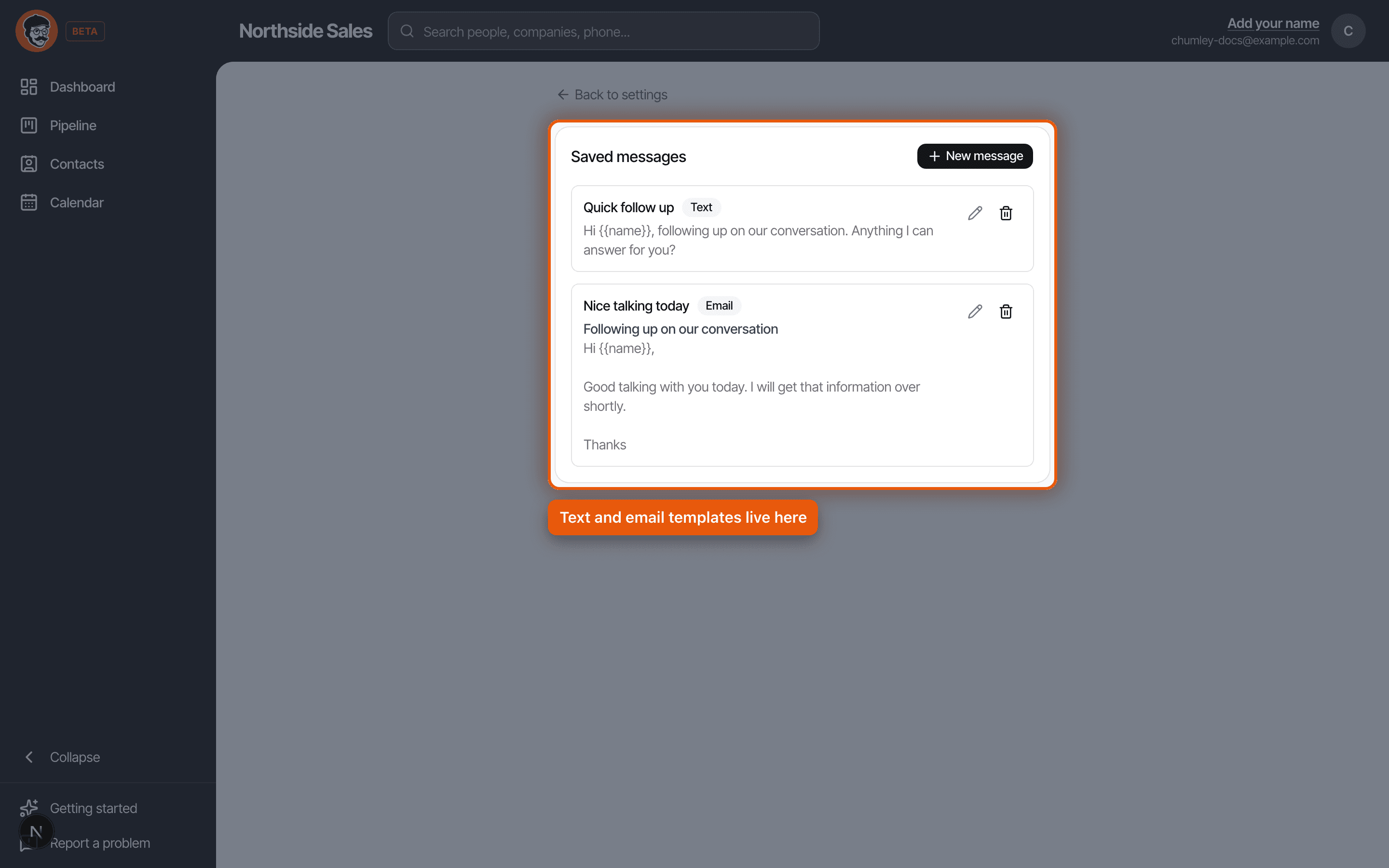
Settings, then Saved messages. You start with two already written, one text and one email, so you can see the shape of it before you write your own.
Each one has a name that only you see, so call it what you would call it out loud. Quick follow up. Quote chaser. Not Template 3.
Writing one
Pick whether it is a text or an email, because they behave differently. An email gets a subject line as well as a body. A text is just the message.
Then write it the way you would actually say it. The best saved message sounds like you had thirty spare seconds, not like it came out of a system. Short, specific, and ending in a question is usually the whole recipe.
The name placeholder
Put two curly braces around the word name in your message and Chumley swaps in their first name when you send it. Hi {{name}}, just following up.
That is the only placeholder there is, and that is on purpose. A template with six merge fields in it is a form letter, and everybody can tell. One first name is enough to stop it reading like a broadcast.
Sending one
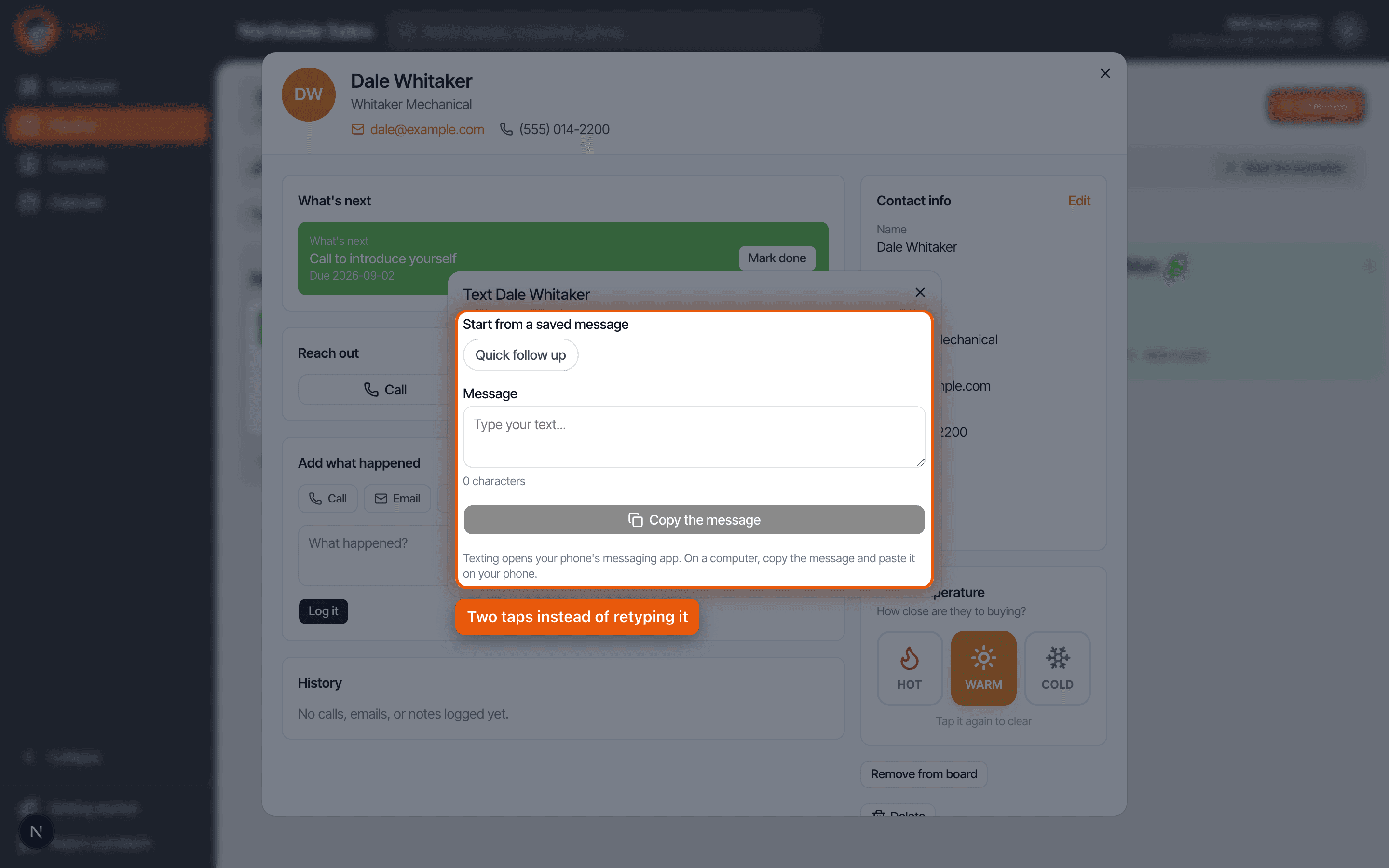
Open a lead, tap Text or Email, and the saved messages appear as buttons at the top of the sheet. Tap one and the message fills in, name already swapped, ready to send or to edit before you do.
On a phone, sending hands off to your messaging app or your email app with the message already in it. On a computer there is a copy button instead, because a desktop has nothing to hand it to. Copy it, paste it into whatever you actually use.
The one that makes you look silly
The placeholder takes the first word of whatever is in the name field. Nothing cleverer than that.
So if you imported a list and a row came in as Whitaker Mechanical, your carefully written message goes out saying Hi Whitaker. If somebody is saved as D. Whitaker it says Hi D. If the field holds an email address because a form was filled in oddly, it says Hi dale@example.com, which is the sort of thing people screenshot.
Two minutes of prevention: after any import, sort your contacts by name and skim the top of the list for anything that is not a human first name. Fix those few, and every saved message you ever send afterwards is safe.
Write your four messages once, in Settings under Saved messages, with {{name}} where their name goes. Then it is two taps from a lead card instead of thumbing it out again.
Read it as a script · Still stuck? Ask us and we will come back to you the same day.
Not using Chumley yet?
14 days free, and we do not ask for a card.
14 days free. No card to start.