Day to day · 3 min
Rename, reorder and delete your pipeline columns
The board arrives with four columns because a blank board is useless on day one. They are not the columns you have to keep. If your process has a step called Waiting on permits, the board should say Waiting on permits.
14 days free. No card to start.
The columns are yours
A lot of CRMs make this a settings page, three menus deep, with a warning about affecting your reporting. Here it is on the board itself. Everything in this tutorial happens on the pipeline screen, and none of it needs a save button.
Each column has a name on the left, a running count and total on the right, and a small three dot menu next to that. Almost everything lives in that menu.
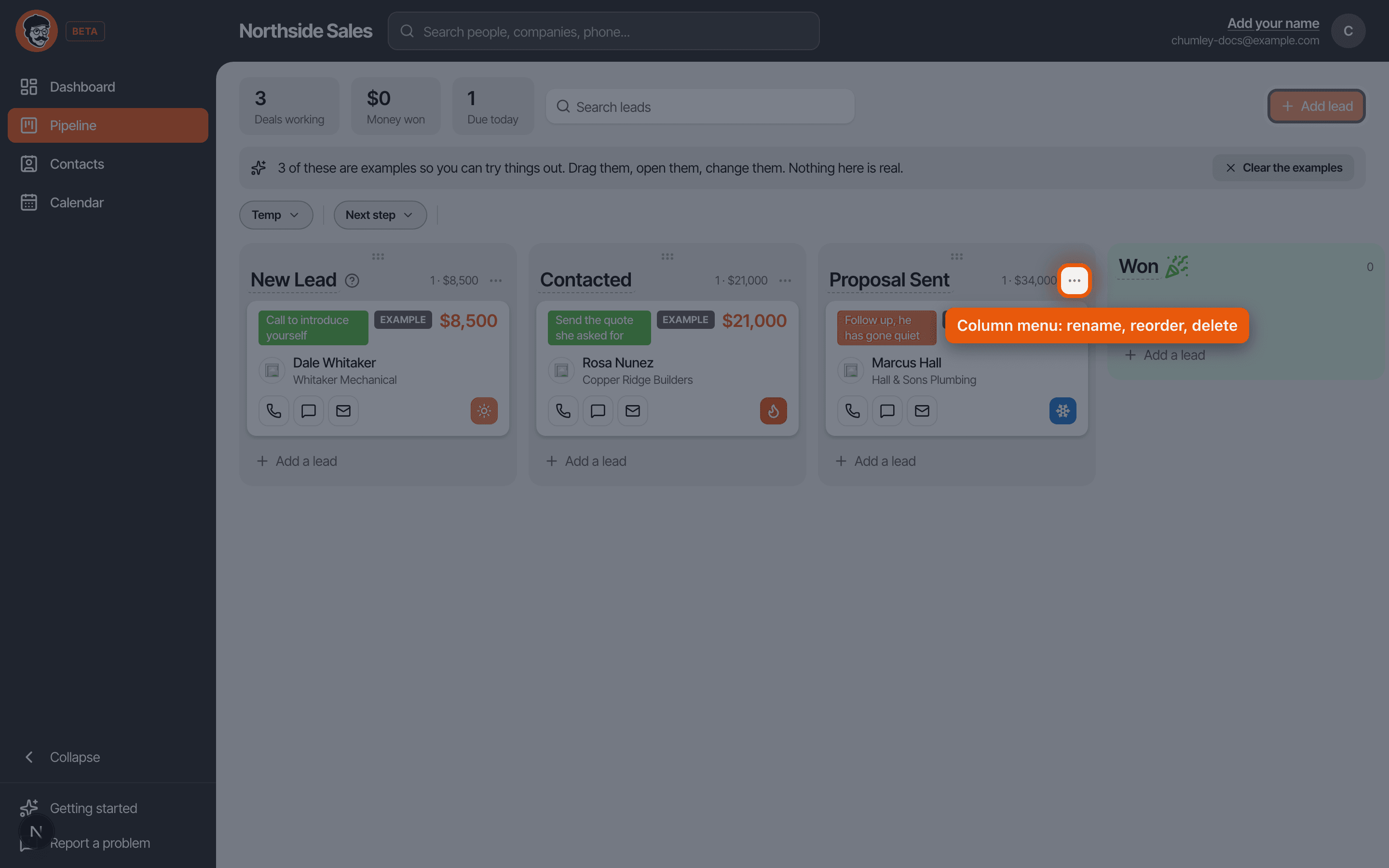
Rename one
Click the column name. It turns into a text box. Type the new name and press enter, or click away, and it is saved.
Nothing else happens, and that is deliberate. Renaming changes the label and nothing underneath it. Your deals keep their history, your reports keep counting the same things, and every card that was in that column is still in it. So if New Lead should say Enquiry, or Proposal Sent should say Bid Out, just change it. You are not going to break a report.
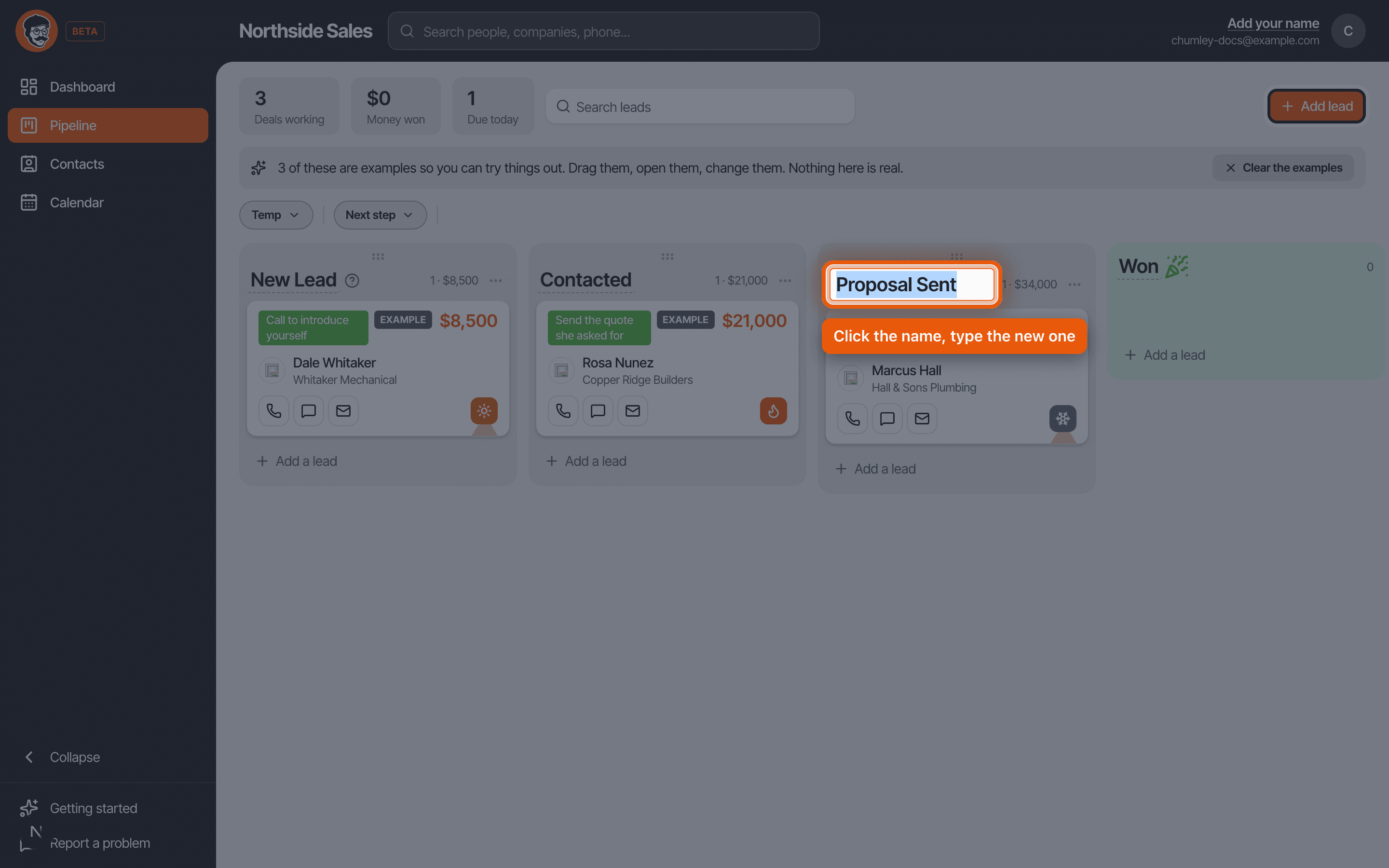
Add one
Most people find the default four are one short. There is usually a real step between talking to somebody and sending them a price, and it is worth its own column because it is where deals get stuck.
Add a bucket, name it, and it appears on the board. Name it after something that actually happens in your week, not after a stage in a sales methodology. Site Visit Booked is a good column. Qualification is not, because nobody can tell you what has to be true for a deal to leave it.
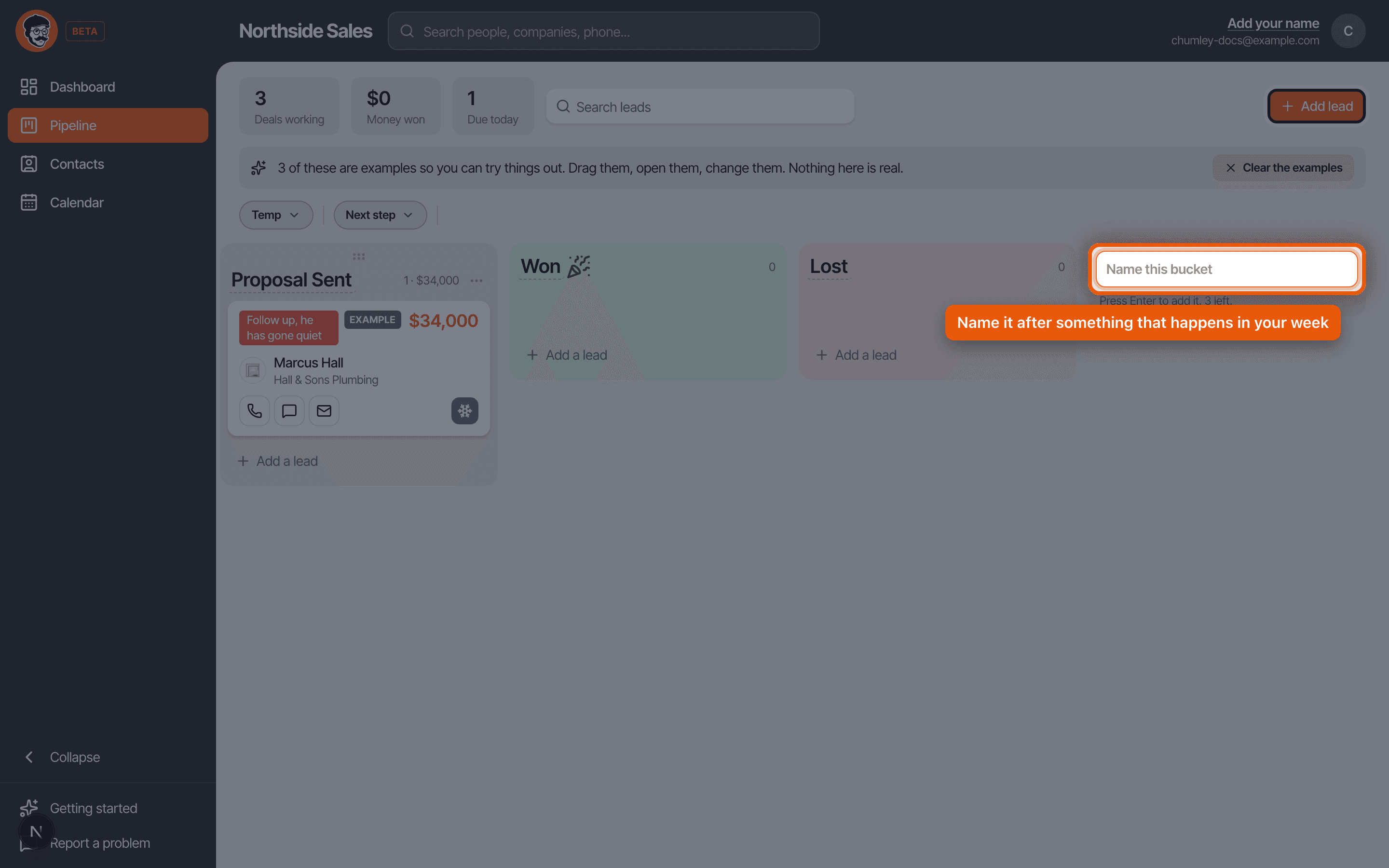
Put them in your order
Grab the handle at the top of a column and drag it left or right. The board reorders and stays that way for everybody on your team.
Won and Lost do not move, and they cannot be dragged into the middle. They are the end of the board on purpose, because a deal that has landed in one of them has stopped moving, and letting them float around in the middle would make the board lie about what is in play.
Delete one without losing the deals
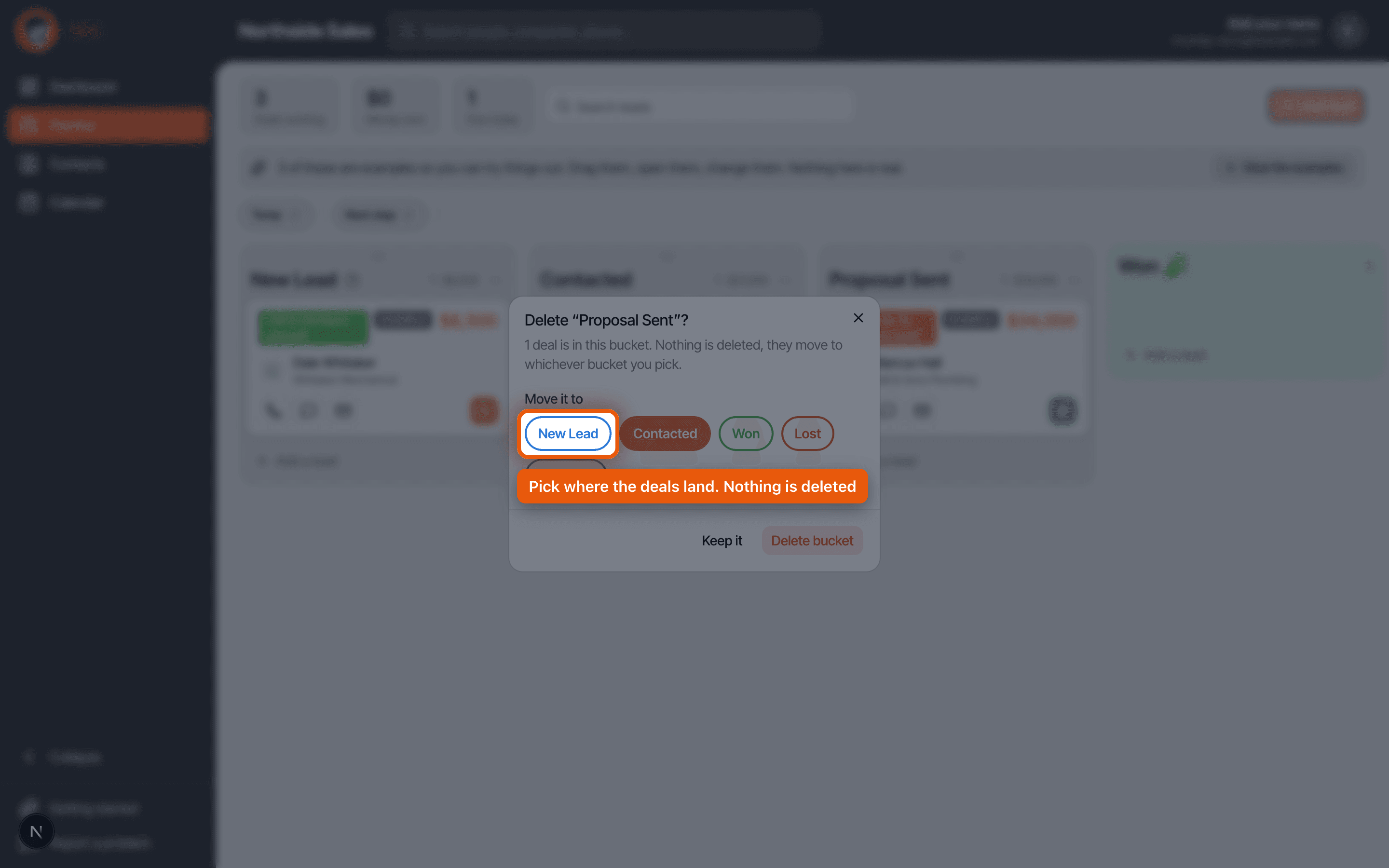
Open the three dot menu on the column and choose Delete bucket. This is the part people are nervous about, and they should not be.
If there are deals in that column, Chumley asks you where they should go before it removes anything. It suggests the column to its left, which is usually right, and you can pick any other one. Nothing is deleted. The deals move, then the column goes.
If the column is empty it just goes, with no question, because there is nothing to decide.
Two things it will not let you do
You cannot delete Won or Lost. Every board needs somewhere for finished deals to land, and the dashboard numbers are built on them.
You cannot delete your last working column either. A board with nowhere to put a live deal is not a board, so Chumley keeps at least one.
The mistake almost everybody makes
Building nine columns in the first week. It feels thorough and it is the fastest way to end up back in a spreadsheet.
Every extra column is a decision you have to make about every single deal, several times a week, forever. Nine columns means a board you avoid opening because updating it is a chore. Four or five is plenty for most people, and the honest test is whether you could explain to somebody else exactly what has to happen for a deal to move from one column to the next. If you cannot, that column is decoration.
Start with what you have, work it for two weeks, and add a column only when you notice deals piling up at a step the board does not show.
Click a name to rename it, drag the handle to reorder, three dot menu to delete, and deleting always asks where the deals go. Make it look like how you actually sell, then leave it alone.
Read it as a script · Still stuck? Ask us and we will come back to you the same day.
Not using Chumley yet?
14 days free, and we do not ask for a card.
14 days free. No card to start.