Leads from your website · 3 min
Get an email the moment a lead comes in
A lead landing silently on a board you are not looking at is the same as no lead. So when somebody fills in your form, Chumley emails you, with their phone number in it, so you can call them back while they are still sitting at their computer thinking about it.
14 days free. No card to start.
It is already on
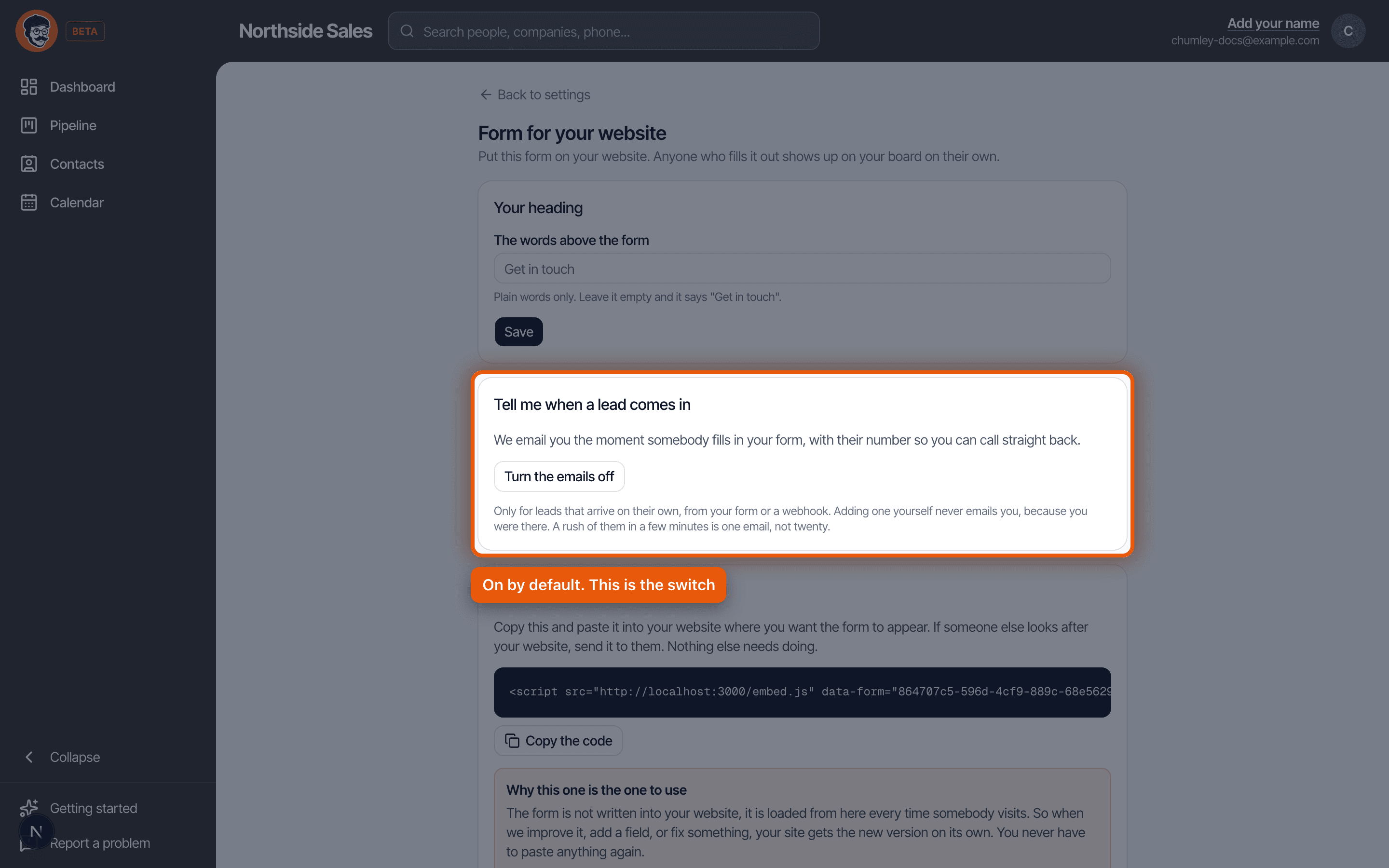
You do not have to set this up. New accounts have it switched on, because the alternative is finding out on Thursday that somebody enquired on Monday.
The switch lives in Settings, on the page for your website form, under Tell me when a lead comes in. That is also where you turn it off, if you ever want to.
What lands in your inbox
The subject line is the person's name, because that is all you can read on a lock screen without unlocking your phone. Something like: New lead, Dale Whitaker at Whitaker Mechanical.
Inside there is one sentence saying who came in and where from, their phone number, their email, and a link that says Open the deal. That link goes straight to their card on your board, already open. Not to your dashboard, not to a login screen you then have to navigate out of.
That is the whole email. There is no digest, no scoring, no summary of your week. You are meant to read the subject, tap the number, and call them.
Which leads trigger it
Anything that arrives on its own. Your hosted form page, the form embedded on your website, a plain HTML form posting to us, and the webhook if you have wired one up through Zapier or Make.
It deliberately does not fire when you add a lead yourself. You were there. You typed it in. Emailing you about something you just did is how a useful notification turns into one you filter into a folder and stop reading.
A busy hour only sends one email
If five enquiries arrive in ten minutes, you get one email, not five. Ten quiet minutes have to pass before the next one goes out.
The next email tells you what you missed. The subject becomes something like Rosa Nunez and three more new leads, and the body says how many came in while you were away and reminds you that they are all on your board.
This is on purpose, and it is worth understanding, because the first time it happens it looks like leads went missing. They did not. Every single one is on your pipeline. What is throttled is the emailing, not the capturing. A phone that buzzes five times in ten minutes gets silenced, and a silenced phone is worse than one email.
Who gets it
The account owner. One address, the person who set the account up.
Worth knowing if you have people on your team, because a rep waiting for these will not get them. Website leads arrive with nobody attached to them yet, so there is no obvious rep to notify, and guessing wrong is worse than not guessing. If your reps need to see new enquiries, point them at the board rather than their inbox.
Turning it off
Same switch, in Settings, on your website form page. Turn it off and the leads still arrive exactly as before. You just will not hear about them until you look at your board.
Every notification also has a line at the bottom telling you where that switch is, so you never have to come back here to find it.
The mistake almost everybody makes
Trusting it without ever testing it. The first one of these you receive is a message from a domain your email provider has never seen before, and a decent share of the time the first one goes to spam.
You will not notice, because nothing looks broken. The form works, the lead is on the board, and the email you never knew to expect is sitting in a folder you never open. Then one day you wonder why you stopped getting them.
Two minutes fixes it, today. Go and fill in your own form with your real name and a fake email address. When the notification arrives, check whether it landed in spam, and if it did, mark it as not spam and add the sender to your contacts. Then delete the test lead off your board. That is the whole job, and it is the difference between a system you trust and one you merely hope is working.
It is on already, it goes to the account owner, it fires for anything that arrives on its own, and a busy hour is batched into one email rather than five. Go and test it once, so you know what it looks like before it matters.
Read it as a script · Still stuck? Ask us and we will come back to you the same day.
Not using Chumley yet?
14 days free, and we do not ask for a card.
14 days free. No card to start.